

A Technical Look at What Sets it Apart
Most fractal explorers appear similar on the surface: they render the Mandelbrot set, let you zoom a bit, and offer a few color gradients. But underneath, the architecture of these tools varies dramatically — and that architecture determines how deep you can explore, how smooth the motion feels, how accurately the math holds up, and how the final image looks.
Mandelbrot Metal was built as a modern GPU compute workload, not an adaptation of older CPU-based fractal code.
This foundational design choice creates meaningful, measurable differences in speed, precision, and visual fidelity.
This post breaks down what’s different, why it matters, and how you can see the results directly in the images.
1. A Renderer Designed for Apple Silicon
Many fractal apps still rely on CPU loops wrapped in a UI. Mandelbrot Metal does the opposite: the primary iteration loop runs entirely on the GPU via Metal compute kernels.
This provides:
- parallel evaluation of millions of complex-number iterations
- low-latency exploratory movement
- stable frame pacing while zooming or panning
- predictable performance scaling with device class
Because the app treats the fractal like a GPU workload — not a visualization afterthought — it maintains fluid performance even in regions where traditional CPU implementations would stall.
2. Adaptive Iteration Scaling
Iteration depth isn’t fixed; it’s computed dynamically based on:
- zoom level
- screen resolution
- local complexity (rate of divergence)
- device performance characteristics
This approach maintains detail without overcomputing trivial regions and avoids the abrupt “quality cliffs” common in fixed-iteration renderers.
You get the right amount of detail for the region you’re exploring, with no stutter or delay.
3. Deep Mode for True High-Precision Computation
When single-precision GPU math becomes insufficient at extreme magnifications, the app transitions into multi-core double–double precision (software-emulated high-precision arithmetic).
Unlike applications that fake deeper zooms via pixel interpolation or reuse previous frames, Mandelbrot Metal performs true high-precision recomputation:
- all CPU cores participate
- tiles render progressively
- UI responsiveness is maintained
- no blocking, no frozen frames
This makes magnifications of 10¹⁶× both possible and usable.
4. A Modern Color Pipeline
Color rendering is a core part of fractal visualization, yet many tools still use simple 256-step gradients with no dithering.
Mandelbrot Metal includes:
- 137+ curated palettes
- 37+ Ultra-Wide (768-step) palettes
- Display-P3 support
- HDR rendering modes
- exact LUT or smooth interpolation
- optional dithering for gradient linearity
- gradient extraction from photos
The purpose isn’t aesthetics alone — it’s eliminating banding and preserving tonal continuity across thousands of iterations.
The difference is immediately visible:
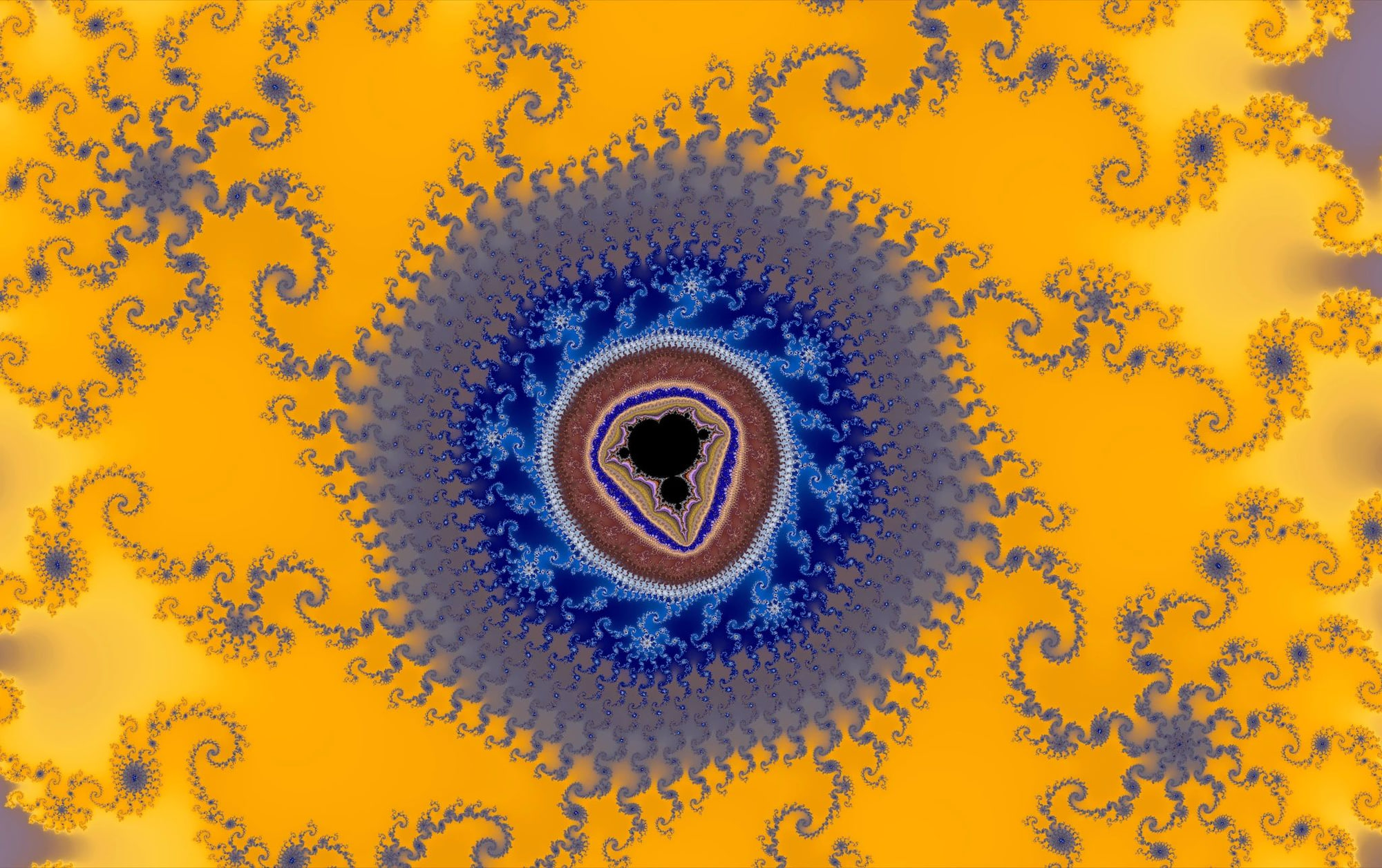
Comparison: Older-Style Gradient vs. Mandelbrot Metal Ultra-Wide Palette
Before: Typical 256-step palette with smooth shading — note banding, limited tonal variation, and loss of microstructure.
After: Mandelbrot Metal rendering of the same location, rendered instantly using a 768-step Ultra-Wide palette with dithering, 3D shading, and full GPU precision — continuous gradients, richer color separation, and higher frequency detail.
5. Deterministic Bookmarks
Bookmarks are presets that store:
- exact coordinates (with high precision)
- zoom level
- palette
- iteration depth
- contrast
- 3D look mode
- all other rendering parameters
The result is deterministic output: a bookmark loaded on any device produces an identical render, with no numerical drift. This property makes the app reliable for technical demonstrations, education, or reproducible art workflows.
6. Performance Characteristics and Computational Speed
One of the clearest distinctions between Mandelbrot Metal and conventional fractal explorers is raw computational throughput. Because the rendering engine is GPU-first and optimized around Metal threadgroup execution, the app maintains real-time interactivity even in regions that normally require offline rendering.
GPU Compute Core
- iteration loop runs entirely on the GPU
- supports sustained 60 FPS motion
- palette and lighting changes apply with negligible latency
- stable frame pacing during deep zoom navigation
Adaptive Iteration Scaling
- adjusts computational load dynamically
- prevents stalls in high-complexity regions
- maintains consistent detail across zoom levels
Deep Mode Engine
- high-precision double–double arithmetic
- multi-core CPU tiling
- progressive refinement
- asynchronous compute ensures the UI never blocks
Memory and Data Pipeline
- LUTs, palette steps, and shading buffers reside in GPU memory
- minimal CPU ↔ GPU transfer overhead
- efficient for repeated palette/lighting adjustments
In practical terms:
Regions that would take tens-of-seconds — or even minutes — to recompute on CPU-only fractal apps render in real time on Mandelbrot Metal, and deep zoom regions that typically freeze the UI remain fully interactive.
7. Why These Differences Matter
The combination of GPU-first compute, adaptive iteration, deterministic bookmarks, and a modern color pipeline results in a renderer that:
- responds immediately to user input
- retains accuracy at extreme magnifications
- produces smooth, artifact-free gradients
- scales with device performance
- remains interactive in regions where older tools fail
These aren’t marketing bullets — they are direct outcomes of architectural decisions.
Conclusion
Mandelbrot Metal behaves differently because it’s engineered differently.
Where many fractal apps inherit legacy rendering designs, Mandelbrot Metal starts with Apple’s Metal compute framework and builds upward — emphasizing parallelism, numerical stability, color depth, and performance.
For users who explore fractals casually, the result is smooth, fluid motion.
For technical users, it provides high-precision computation, predictable behavior, and a platform capable of reaching magnifications far beyond the limits of traditional fractal software.