

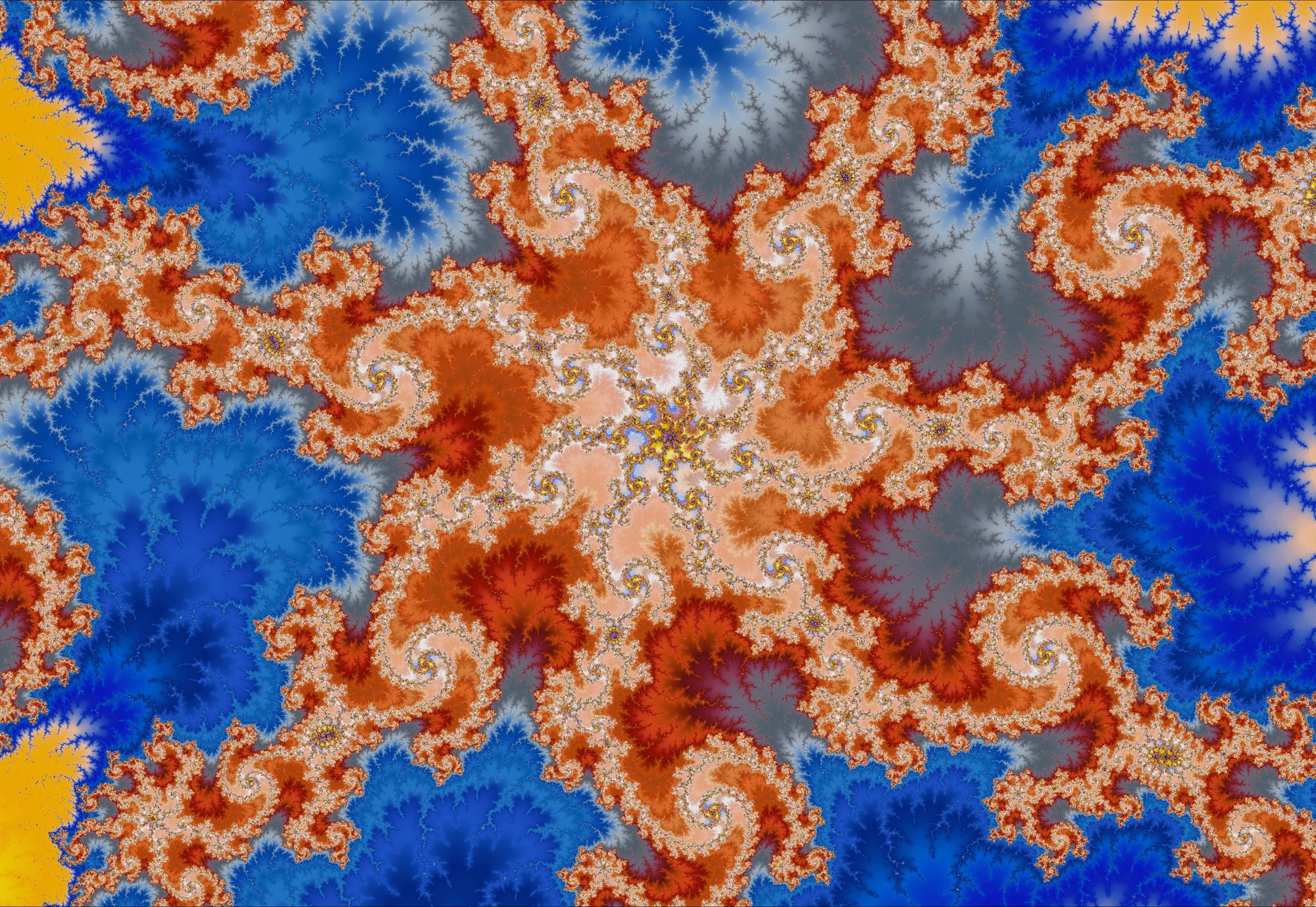
Fractal art can feel intimidating at first — mathematical, technical, almost alien. But once you begin exploring, that changes. Suddenly, you’re not thinking about formulas at all; you’re responding to color, shape, movement, and emotion.
This is the creative heart of Mandelbrot Metal: transforming an infinitely deep mathematical object into a living, expressive art studio. Whether you’re an artist, designer, photographer, or someone who simply loves beautiful visuals, here’s how to turn exploration into artwork.
1. Begin With Exploration, Not Perfection
Great fractal art doesn’t start with “finding the right place.” It starts with wandering.
Try this creative approach:
- Zoom slowly — the geometry evolves dramatically as you descend.
- Pan in small arcs to reveal symmetry or rhythmic patterns.
- Look for natural compositions: sweeping curves, foregrounds, diagonals, spirals, etc.
- When something feels alive, tap the bookmark icon to save it.
The best pieces often come from moments, not destinations.
2. Let Palettes Define the Emotion
Color is the emotional engine of fractal art, and our palette library is exceptionally deep. Here are Mandelbrot Metal's 144 current built-in palettes grouped by the creative moods they evoke:
Calm / Atmospheric / Natural
Soft, airy, and cinematic.
Arctic • Aurora • Aurora Blade • Aurora Borealis • Deep Ocean HC • Desert Dusk HC • Glacier • Lake [UW] • Midnight • Misty Woods [UW] • Ocean • Peacock • Polar Neon • Rain Clouds [UW] • Rainy Day [UW] • Sunset • Sunset Glow • Twilight
Painterly / Artistic / Pastel
For gentle, expressive, painterly visuals.
Pastel Breeze • Monet Flowers [UW] • Misty Woods [UW] • Orchid [UW] • Sea Shells [UW] • Moonstone [UW]
Warm / Fire / Heat
Energetic, bold, dramatic.
Lava • Ember • Fire • Fire & Ice • Hot Metal • Solar Flare • Tropical Heat • Volcano [UW] • Volcanic Sky [UW] • Late Sunset [UW] • Calf. Sunset [UW] • Naples Sunset [UW]
Vivid / Electric / Neon
High-impact, modern, and visually explosive.
Acid Dream • Blue-Orange Punch • Candy • Cosmic Fire • Cosmic Pop • Cyberpunk • Electric Blue • Electric Jungle • Electric Lime • Electric Sunset • Hypernova • Laser Lines • Laser Pop • Magenta Storm • Miami Lights • Miami Nights • Neon • Photon Flux • Solar Neon • Teal-Magenta Punch • Tokyo Nights • Tropical Punch • Ultraviolet • Ultraviolet Blaze • Vaporwave Edge • Vivid Neon • Vibrant
Metallic / Glossy / Sculptural
Gives your fractals a polished, industrial, or reflective character.
Carbon Fiber • Chrome • Chrome (2) • Chrome Glossy • Cold Steel • Copper • Copper (2) • Copper Glow • Cybersteel • Gold • Gold (2) • Iridescent • Metallic Silver • Oil Slick • Oil Slick (2) • Polished Gold • Silver (2)
Gem-Tone / Jewel / Rich
Deep, luxurious, saturated color.
Amethyst • Citrine • Coral • Emerald • Jade • Ruby • Sapphire
Ultra-Wide Palettes (768-step)
For the smoothest gradients and print-level subtlety — perfect for artwork.
Abstract [UW] • Arenal [UW] • Bananas [UW] • Beach Sunset [UW] • Begonias [UW] • Blown Glass [UW] • Blueberries [UW] • Bookstore [UW] • Bromeliads [UW] • Calf. Sunset [UW] • Cambria [UW] • Car Show [UW] • Chihuly [UW] • Colorful Hats [UW] • Dresses [UW] • Eucalyptus [UW] • Galaxy Quest [UW] • Golden Sunset [UW] • Guitar Player [UW] • Hurst Pool [UW] • Jubilant Days [UW] • Jupiter [UW] • Lake [UW] • Late Sunset [UW] • Macaw [UW] • Marquis [UW] • Misty Woods [UW] • Monet Flowers [UW] • Moonstone [UW] • Mt. Dora [UW] • Naples Sunset [UW] • Orchid [UW] • Pedal Board [UW] • Plants [UW] • Rain Clouds [UW] • Rainy Day [UW] • Redrum [UW] • Roji-en [UW] • Sarchi [UW] • Sea Shells [UW] • Spectrum [UW] • State Street [UW] • Volcanic Sky [UW] • Volcano [UW]
Monochrome / Scientific / Utility
For structural study, high contrast, and dramatic minimalism.
Binary Stripe • Icefire • Grayscale • Heatmap High Contrast • HSV • HSV Hard • HSV Thin Bands • Inferno • Inferno Hard • Inferno+ (Gold) • Magma • Magma+ (Warm) • Mono Ramp High • Mono Ramp Inverted • Noir Edge • Retro CRT • Royal HC • Sci-Fi Radar • Turbo • Plasma • Plasma Hard • Viridis • Viridis+ (Boosted)
Learn more about Mandelbrot Metal's amazing palette system
3. Use Creative Tools to Shape the Composition
A few in-app tools dramatically influence style:
Iteration Depth
- Higher = crisp, sharp, detailed
- Lower = painterly, foggy, abstract Artists often lower iterations deliberately for dreamy, atmospheric pieces.
Precision
Higher precision reveals finer geometry and subtle texture — especially important for deep-zoom art.
3D Look
Adds shading and dimensionality.
Used lightly, it creates sculptural softness.
Used boldly, it becomes a stylistic choice.
Rotation
Rotation is one of the easiest ways to unlock new compositions — a spiral becomes a wave, a canyon, or a horizon depending on orientation.
4. Jumpstart Inspiration With Community Bookmarks
Your Community Portal Preview has downloadable bookmarks that many users don’t know about yet:
https://mandelbrot-metal.com/community-portal-1
These serve as curated creative starting points:
- Explore them
- Reframe them
- Recolor them
- Dive deeper
- Transform them into something entirely your own
- Save them as your creation and share them
It’s essentially a shared fractal sketchbook.
5. Exporting Artwork: Automatic, High-Quality Results
Users don’t need to understand rendering pipelines — Mandelbrot Metal handles quality automatically.
When exporting:
- Supersampling anti-aliasing (SSAA) is applied behind the scenes whenever needed
- The renderer produces the highest detail the device can support
- Canvas-size exports match exactly what you see
- High-resolution formats (4K, 6K, 8K) are ideal for large-format printing or large displays
No toggles. No technical decisions. Just clean output every time.
Pro Tips:
- Open your exported image in Photos and pinch-zoom into the fine structures — the sharpness at deep zoom levels is one of Mandelbrot Metal’s strengths.
- After exporting to Photos, tap the image once in Photos to hide the UI and view it full-screen. Fine details become much easier to see.
- Try viewing your exported images in Photos’ slideshow mode for a clean, distraction-free presentation of your artwork
6. Learn Faster With Built-In Help & the User Guide
Two resources that can significantly improve your creative mastery of fractal art with Mandelbrot Metal:
1. Built-In Help Panel
Inside the app — covers:
- Iterations
- Contrast
- Precision
- Navigation
- Color selection
- 3D Look
- Exporting
- Sharing …and more.
2. User Guide on the Website
Clear walkthroughs, tips, and annotated screenshots:
mandelbrot-metal.com/user-guide
7. A Simple Daily Creative Ritual
Many artists thrive with small, repeatable creative habits. Try this five-minute routine:
- Open Mandelbrot Metal
- Load a random bookmark
- Change to a new palette
- Rotate the view
- Zoom until something “clicks”
- Capture your favorite frame
Do this daily for a week — your personal style will begin to appear.
Tip: See our Gallery for some sample fractal art we've created
Next Steps
Ready to create your own fractal artwork? Download Mandelbrot Metal exclusively on the App Store for your iPhone or iPad and start creating amazing fractal art now.
Explore downloadable bookmarks and palettes and import any/all into Mandelbrot Metal.